The next buzz, in sight.
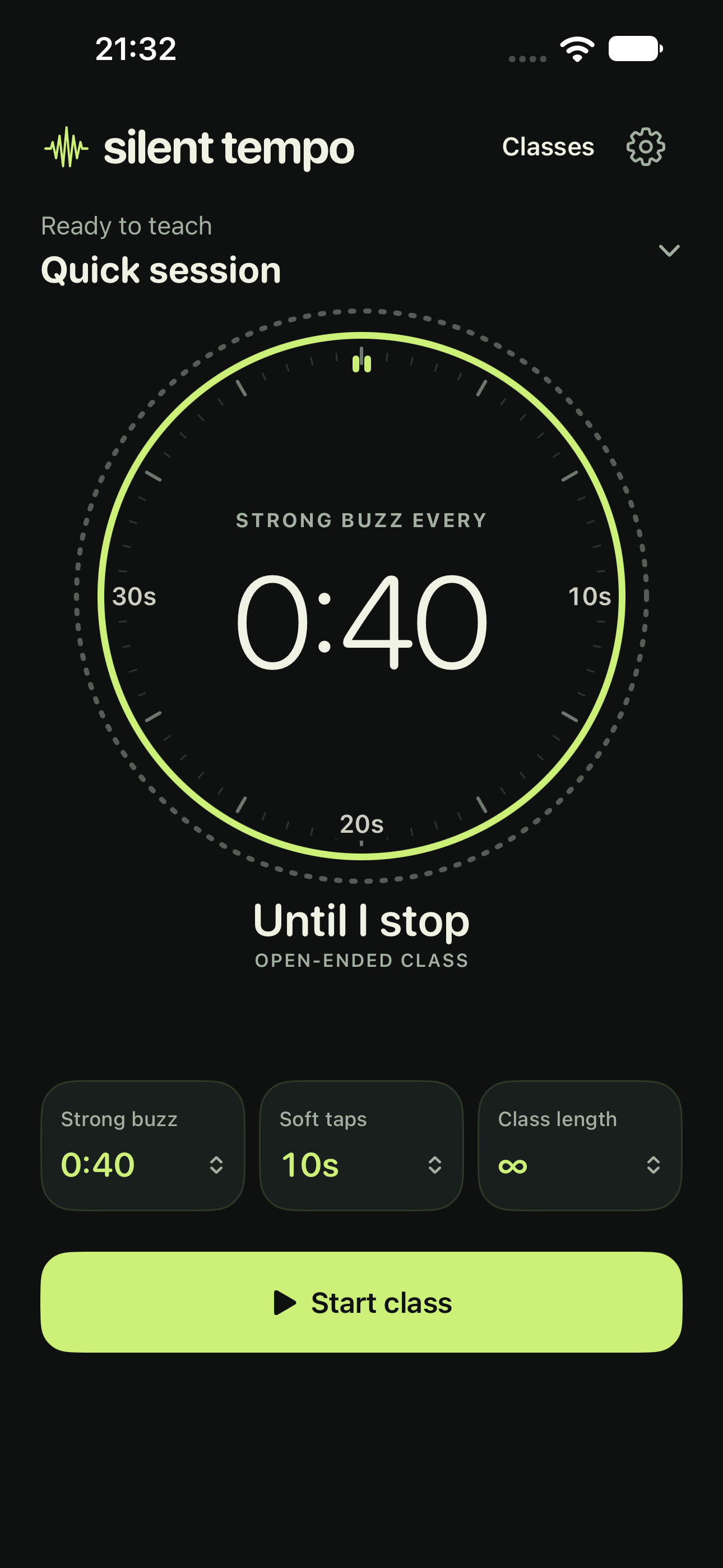
A large countdown shows your next strong cue. Soft-tap times sit around the dial, exactly where they fall in the interval.
 silent tempo
Your rhythm. No sound.
A strong buzz for the next interval. Softer taps along the way. Silent Tempo keeps the rhythm in your hands, so your attention stays with the room.
For iPhone · Apple Watch support planned
For iPhone buzzes, keep Silent Tempo open and unlocked. The class clock continues when you switch apps; phone vibrations do not. How background timing works
A little less on screen. A lot more focus.
The classic stopwatch puts time where you expect it. Once class starts, the adjustment controls step out of the way.
A large countdown shows your next strong cue. Soft-tap times sit around the dial, exactly where they fall in the interval.
An outer progress ring tracks the full class, with time remaining right below. Know how far you’ve come with a glance.
During class, the timer and Pause take center stage. Settings and vibration tests have their own home, away from the workout.
Timing you can feel
Press and hold a timing control to open a larger wheel. Slide up or down, feel each step, and release to set it. One continuous gesture.
Need a change mid-class? Pause, adjust your timing, then resume. Your elapsed class time stays with you.
Find your flow. Keep it.
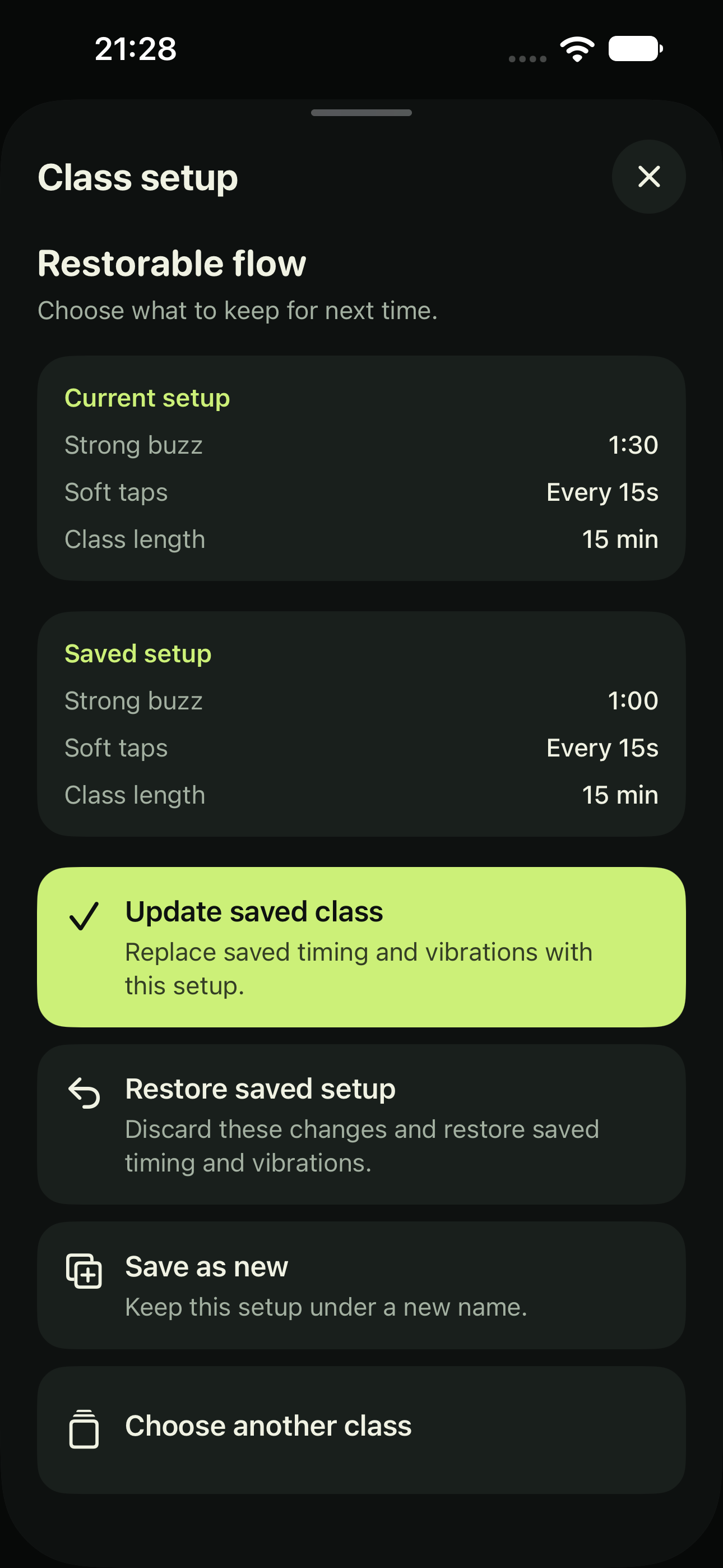
Save your interval, soft taps, class length, and vibration choices under one name. Choose that class next time, then press Start.
Trying a variation? Tap the class name or Unsaved changes to see your current and saved setups together.
Made for the moments between glances
Choose the pattern and strength of strong, soft, and end-of-class vibrations independently on iPhone. Preview them in Settings before class.
When paused, tap Resume to continue or hold the same button to end. Rapid, escalating taps let you feel the hold building. Let go early to cancel.
While a class is running, tap Pocket mode for a dimmed screen with protected controls. Ordinary taps leave it protected; hold anywhere and feel the taps build until a distinct cue reveals the controls. Release early to stay protected. Silent Tempo stays open and unlocked.
Beyond the stopwatch
Class time keeps moving when you change songs or switch apps. A Live Activity brings that progress to your Lock Screen and Dynamic Island on supported iPhones.
Live Activities show timing; they do not provide background iPhone vibrations. Missed cues are skipped when you return.
Know what keeps runningLess watching. More teaching.
No account. No ads. Your classes stay on your device.